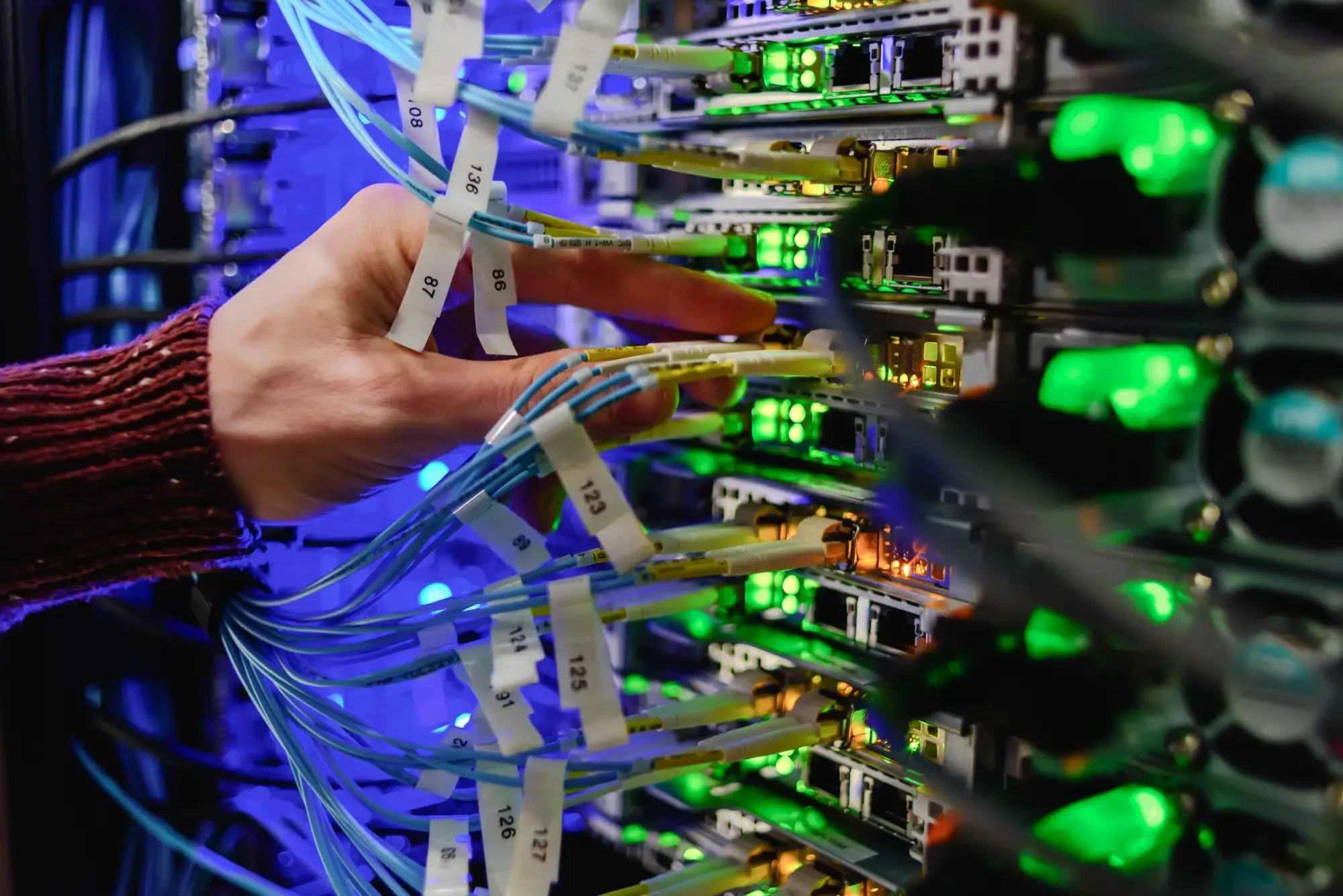

Managed IT & Support
Managed IT in Vienna: help when things go wrong – and maintenance so they don’t.
We look after the IT of businesses, law firms and medical practices personally: via remote support, on site and preventively in the background.
What is managed IT support?
Managed IT support means an external team continuously looks after your computers, servers, network and software. It helps with problems, installs updates, monitors backup and security and documents everything – so that faults become rarer and are fixed quickly.
For organisations without their own IT department, this is the most reliable way to keep operations secure. IT United supports more than 500 clients with over 3,000 workstations and more than 300 servers in Vienna and the surrounding area – from single-doctor practices to medium-sized businesses.

Sound familiar?
Typical situations where managed IT pays off
IT is handled “on the side”
A colleague or the boss deals with updates, passwords and the printer between two appointments. That takes time away from the core business – and important things get left undone.
Nobody knows whether the backup works
The backup reports “successful”, but a restore has never been tested. Only in an emergency does it become clear whether the data really comes back.
IT that has grown without an overview
Devices of different ages, accounts still belonging to former employees, licences nobody keeps track of. Every fault starts with searching instead of solving.
Your current provider is hard to reach
Long waiting times, changing contacts, explanations nobody understands. You want a team that knows your business.
Scope of services
What our managed IT includes
You decide which building blocks you need. Typically they include:
- Support hotline and help via remote support
- On-site visits in Vienna and the surrounding area
- Creating and changing users, mailboxes and permissions
- Help with Microsoft 365 and Office questions
- Connecting printers, scanners and peripherals
- Monitoring of servers, storage and services
- Patch management: planned updates for Windows and software
- Monitoring of backup and antivirus protection
- Checks of firewall and remote access
- Planning replacements before devices fail
- Clear documentation of devices, accounts and network
- Management of licences and warranties
- Setting up new workstations and handling leavers
- Regular meetings on your IT planning
- Point of contact for software vendors and providers
Remote or on site?
We solve most issues straight away via remote support
With remote support we see your screen as soon as you allow it – no travel and no waiting. We come on site when hands-on work on the device is needed.

How we get started
Four steps to managed IT
Getting to know you
We discuss your starting point, your software and what you expect from IT support.
Inventory
We record servers, workstations, network, backup and accounts and capture everything in documentation.
Takeover
We take over the accounts, set up monitoring and remote support and fix urgent weaknesses first.
Ongoing support
Your team gets in touch when needed, we carry out preventive maintenance and meet regularly to plan ahead.
Billing
Time and materials or ongoing support – you decide.
For individual issues you engage us on a time-and-materials basis, with no contract at all. If you want preventive maintenance and predictable costs, you agree on ongoing support. We define the right scope together after the inventory.
See our support models- A personal contact who knows your IT
- Clear, understandable communication
- Structured documentation of your IT
- Transparent billing
For your sector
Managed IT with sector expertise
Businesses & SMEs
From a single workstation to full IT outsourcing: support that grows with your business.
IT for businessesLaw Firms & Tax Advisers
Law firm software, WebERV (Austria’s electronic legal communication), dictation and secure mobile working for lawyers and tax advisers.
IT for law firmsMedical Practices
Practice software, e-card and ELGA, electronic report transmission and telephony – supported by a team that knows medical practices.
IT for medical practices
“As a long-established spatial planning and civil engineering office, we pay particular attention to a smoothly running IT infrastructure that meets our requirements and standards.
As a company with more than 10 employees, it is extremely important for us to have a reliable IT partner at our side. Fast and efficient support and a friendly working relationship have always convinced us.
That is why we trust IT United.”

Frequently asked questions
Questions about managed IT
Your question isn’t listed? Call us on +43 1 2266 2260.
What is managed IT support?
Managed IT support means that an external IT service provider continuously maintains and monitors a company’s computers, servers, network and software and helps when problems occur. Instead of only reacting when something breaks, updates, backups and security are looked after preventively.
Who is external IT support suitable for?
Above all for organisations without their own IT department: small and medium-sized businesses, law firms, tax advisers and medical practices. We support environments ranging from a single workstation to companies with their own IT department that need extra help.
What does managed IT support cost?
That depends on the number of workstations and servers and on the scope you want. You can engage us on a time-and-materials basis or agree on ongoing support. After the initial consultation and an inventory you receive a transparent quote.
Do I have to sign a contract?
No. You can also engage us for individual issues without a support contract. A contract makes sense if you want preventive maintenance, monitoring and predictable costs.
How does remote support work, and is it secure?
You start the TeamViewer QuickSupport program and give us the ID it shows. Only then can we access your screen. The connection is encrypted, and you can see what we are doing at all times.
Do you also come on site?
Yes. Many things are quicker to solve via remote support. When hardware needs replacing, cables need laying or a new workstation needs setting up, we come on site in Vienna and the surrounding area.
We already have an IT provider. How does a switch work?
We take over the accounts and existing records, review the environment during an inventory and document everything afresh. For your team the switch happens in the background, and operations are not interrupted.
What is the difference between IT support and managed IT?
IT support helps when something isn’t working. Managed IT also includes preventive maintenance: updates, monitoring, backup checks, documentation and planning – so that faults don’t happen in the first place.
Further reading